Convert The Spire Reborn
Your music and videos in one free app: a player with subtitles, synced lyrics, loops and a large view, and every way to fill it, from whole playlists (or only the part you want) off 1,800+ sites to torrents and a converter. Windows, macOS and Android. It all runs on your machine, and it never asks you to sign in.
Get it from the Microsoft Store Google Play All downloads
4,914 downloads across 100+ countries and counting
- Version
- v16.0.1
- Released
- 2026-10
- License
- GPLv3
- Platforms
- Windows, macOS, Android
- Languages
- 18
- Source
- GitHub
Download
Android is on Google Play, where it is called BitPlayer: Music & Video, and Windows is on the Microsoft Store; everything else is below. The latest is v16.0.1: Subtitles and lyrics, a cleaner player, and only the part you want. Windows has three ways in, listed under the buttons. Linux builds stopped at v14.0.0, though the older releases are still up.
Open source · GPLv3 · Privacy policy · Code signing policy · Without installing: Windows zip, Mac zip · all releases · verify SHA256SUMS · GitHub Sponsors
Microsoft Store
Get it from the Microsoft Store: FFmpeg and yt-dlp come built in, the Store keeps it up to date, and it installs without the "Windows protected your PC" screen.
Installer
ConvertTheSpireReborn-Setup.exe: double-click it. It installs for your account without admin rights, adds a Start menu entry, and the app updates itself from then on.
Zip, nothing installed
The Windows zip: extract it anywhere and run convert_the_spire_reborn.exe.
Where this one fits
Normally this takes four apps.
A command-line tool to download with, something else to convert, a torrent client, and a player to actually listen to any of it. Four installs, four things to keep updated, four places your files end up. This is all of it in one, over one library, and since v16 the player is the part it starts with: subtitles, lyrics and loops for the files you already have, not only the ones it downloaded.
Same app on your computer and your phone.
Most tools here are one or the other, so the phone version ends up cut down or never gets made. This is the same app either way, with the same library and the same saved playlists on each.
It keeps a collection, not just a download queue.
Give it a playlist and a folder and it tells you which tracks you are missing. It matches titles across scripts too, so a song filed under its Japanese title and the same song romanised count as the same song. That is the part I use most.
Whole playlists on a phone.
Android has no yt-dlp to fall back on, so the app walks YouTube's pages itself, and that took two goes to get right. First it only understood one of the several ways YouTube says "here is the next page", which stopped it dead at 100 entries. Fixing that got it to 200, and then to the real problem: YouTube's plain API simply stops handing out the next page after the second one, so there was nothing left to follow. It now falls back to the YouTube Music API, which pages to the end. On the 863 track playlist used to chase this down, 200 entries before and 855 after; the rest are private or deleted, which nothing can enumerate. Every page format is covered by offline tests, so if YouTube changes it again a test breaks instead of your playlist quietly getting cut short.
Watch something together without a service.
Start a room on one device, read out the six character code, and phones, laptops and the TV all play, pause and seek in step. There is no server and no account, because the host device is the server and everything stays on your own network. Guests measure the round-trip delay to the host the way NTP does, so they are in step rather than a second or two behind.
Saved playlists keep themselves current.
Save one and the app re-checks it every four hours while it is open. Add a song today and it is on your disk without you doing anything.
Old machines get tested, not assumed.
The changelog has several rounds of fixes for a pre-2013 QA box, including a native crash no Dart handler can catch. yt-dlp keeps itself up to date on the desktop, and when a download breaks because YouTube changed something, it updates and tries again instead of just failing.
Eighteen languages.
It follows whatever your phone or computer is set to, or you pick one in Settings, and falls back to English. Since v14.5.0 that covers every screen, dialog and message, not just the menus, and a check in the build fails if a screen slips back into English. The files are plain .arb in the repo if you want to improve a translation.
Nothing leaves your machine.
No account, no uploads, no size limits, no telemetry. The Play Store build shows ads, which is the one thing that talks to anybody else; the desktop builds carry no ad code at all. The privacy policy spells out exactly what that means, and it is GPLv3, so you can check rather than take my word for it.
What it does
Playing
Subtitles, songs too · Synced lyrics · Loop the best part · Large view · Speed and a sleep timer · Picks up where you left off
Subtitles, songs too
An .srt or .vtt next to the file loads by itself, and so do the tracks built into MKV and MP4. Switch them off with one tap (or C), pick another, or nudge them when they are out of step.
Synced lyrics
Put an .lrc file next to a song and its lines come up as they are sung.
Loop the best part
Mark one part of a song or video, or several, and playback stays in them, from one part to the next.
Large view
The video fills the window with nothing else around it, and one set of controls instead of two. Esc brings the app back.
Speed and a sleep timer
Anywhere from 0.5× to 2×, and stop after 15 to 60 minutes or at the end of the song.
Picks up where you left off
Long videos and podcasts open where you stopped, with Start over one tap away. A file you open from outside your library gets all of this too.
Downloading
1,800+ sites · Only the part you want · It fixes itself · Whole playlists on a phone · Tags and artwork come with it · Pick the format
1,800+ sites
Everything yt-dlp handles: the big video platforms, social media, public audio hosts.
Only the part you want
Quick Download asks whether you want the whole video or song, or only parts of it. Mark one part or several (from 1:05 to 2:30, say) and each becomes its own file.
It fixes itself
yt-dlp keeps itself up to date in the background. If a site changes something and a download breaks, the app updates and tries again, and falls back to another way in before it gives up.
Whole playlists on a phone
Android pages through a playlist on its own, and falls back to the YouTube Music API when the ordinary one stops handing out pages. An 863 track playlist comes back with 855 of them. No desktop needed, no yt-dlp involved.
Tags and artwork come with it
Both get written in while the file downloads, so you are not going back over your library afterwards to fix it.
Pick the format
Per download, MP3 or the usual video formats. You can see what a link holds before you commit to it.
Keeping a collection complete
Find what you are missing · It knows the same song twice · Watch a playlist · It remembers where it got to
Find what you are missing
Point it at a playlist and the folder you keep it in, and it lists the tracks you do not have yet. Top the folder up instead of downloading the lot again.
It knows the same song twice
A track saved under its Japanese title and the same track romanised are matched as one song, so your collection does not quietly end up with both.
Watch a playlist
Save one and it gets re-checked every four hours while the app is open. Anything new goes in the queue on its own.
It remembers where it got to
Progress is tracked as each track lands, so a long job you walked away from has not lost its place when you come back.
Converting, and the rest of the player
Convert anything you have · No reaching for the volume · Keeps playing in your pocket · A file browser you can use from the sofa
Convert anything you have
Between the supported audio and video formats, on your machine, with nothing uploaded and no size cap.
No reaching for the volume
Every track gets measured once and played at a level that matches the rest, so a quiet song does not disappear after a loud one. Full audio control, and you can push past the normal ceiling.
Keeps playing in your pocket
Background playback on Android with the Bluetooth controls, and it holds its place instead of starting over when you switch away.
A file browser you can use from the sofa
Built to work on a TV and from across the room, rather than assuming a mouse and a desk.
Watching together, and the browser
One room, every screen · No server, no account · Userscripts in the browser · Ads and trackers blocked
One room, every screen
Share a six character code and phone, PC, Mac and TV play, pause and seek together. Join halfway through and you land at the right spot, not on a black screen.
No server, no account
The host device is the server and guests find it over your own network, so nothing about what you are watching leaves the house. If guest wifi blocks discovery, type the host's address instead.
Userscripts in the browser
Greasemonkey and Tampermonkey scripts run in the built-in browser. Install by URL or paste one in, switch them on and off individually, and update them in place.
Ads and trackers blocked
Built in and on by default, with the filter lists uBlock Origin uses (EasyList and EasyPrivacy). On Windows ads are stopped before they load, and whatever gets through is hidden. The matching rules are pinned down by tests, so one bad list entry cannot take down a whole TLD.
Torrents
Find them and fetch them here · Android cannot kill it
Find them and fetch them here
Search, download and manage torrents in the same app, with the settings you would want from a dedicated client.
Android cannot kill it
Transfers run as a foreground service, so your download does not quietly die when the phone decides to tidy up.
The small stuff
Eighteen languages · Runs on old hardware · The guide is in the app · Logs you can read · Check it yourself
Eighteen languages
It follows your device and falls back to English. Arabic gets proper right-to-left layout.
Runs on old hardware
Fixed for pre-2013 CPUs without BMI2, including a native crash no Dart handler can catch. Tested on a slow box, not assumed.
The guide is in the app
How to use it is right there, not buried in a README you have to go looking for.
Logs you can read
If a download fails you can see why, instead of guessing.
Check it yourself
No account, no uploads, no size limits, no telemetry. GPLv3, and the source is right there if you would rather look than take my word for it. What the Play build's ads collect is in the privacy policy.
Frequently asked questions
Why does Windows show a SmartScreen warning?
SmartScreen warns about programs that are not signed, and the Windows downloads are not signed yet. The project applied to the SignPath Foundation for free code signing, and that is taking longer than expected: the application is denied for now, because the app is not well known enough yet, and stays on hold until the project can show that enough people use it (see the code signing policy). Until then, install it from the Microsoft Store, which never shows the warning, or click "More info" "Run anyway", once. Updates from inside the app never show it either. The app is open source under the GPLv3, so you can read every line on GitHub first.
What media sources are supported?
The app uses yt-dlp to support 1,800+ sites including most major video platforms, social media, and public audio hosts. Sites with DRM (Netflix, Disney+, Spotify) are not supported. Some sites (like HiAnime.to) require you to provide browser cookies, see Settings in the app.
What output formats are available?
Formats are grouped by category:
- Documents: PDF, EPUB, DOCX, HTML, TXT, CSV, JSON, XML, YAML, MD
- Images: PNG, JPG, BMP, GIF, TIFF, WebP, ICO
- Archives: ZIP, TAR.GZ, CBZ
- Media: MP3, WAV, AAC, FLAC, OGG, MP4, MKV, WEBM
Is my data private?
All file processing happens locally on your machine, there is no account to make, and the app sends me nothing: no analytics, no crash reports, no cloud processing. Its own requests go to the site you gave it a link to. The one exception is the Google Play build, which shows ads through Google AdMob and so hands your device's advertising ID to Google; the Windows and macOS builds have no ad code in them. The privacy policy covers all of it, including how to reset or delete that advertising ID.
Is this really free and open-source?
Yes. The full source code is available on GitHub under the GPLv3 license. Audit, fork, and modify it freely. No premium tiers, nothing locked behind a payment, and no hidden costs. The Play Store build carries ads, which is what pays for the Play account; the desktop builds have none.
Can it run Chrome or Firefox extensions?
On Windows, yes, since v14.4.0. Install Chrome extensions, and add-ons from addons.mozilla.org that also support Chromium, from Extensions in the browser menu or in Browser Settings. You see what an extension will be able to do before anything installs, and downloads from addons.mozilla.org are checked against the checksum it publishes. Dark Reader and uBlock Origin Lite are tested. Full extensions are Windows only for now: on macOS and Android the app renders pages with the platform WebView, which exposes no extension host. On Android the Extensions menu shows what does run there instead: the built-in ad blocker, your userscripts, and one-tap searches for popular userscripts such as dark mode, Return YouTube Dislike and SponsorBlock. Every platform runs userscripts: Greasemonkey and Tampermonkey scripts install by URL or by pasting the code in. Ad and tracker blocking is built in separately.
Does it work on old or low-end hardware?
That is tested, not assumed. The changelog documents several rounds of low-end fixes, including a folder-load crash on CPUs without BMI2 that was reproduced on an Ivy Bridge i3-3220 QA box, and a web adapter chosen so the same machines stay safe.
Code signing policy
Windows releases will get free code signing provided by SignPath.io, certificate by SignPath Foundation. The project has applied to the SignPath Foundation, and that is taking longer than expected: the application is denied for now, because the app is not well known enough yet, and stays on hold until the project can show that enough people use it. Until then, the Windows downloads from GitHub are not signed. The Microsoft Store version is signed by Microsoft, which delivers it through the Store.
- Committers and reviewers: Lukas-Bohez
- Approvers: Lukas-Bohez
Committers may change the source code directly. Changes from anyone else come in as pull requests, and a committer reviews them before they are merged. Only files that the project's release workflow builds from its own source code are signed, and an approver approves each release before it is signed.
Privacy: the privacy policy lists everything the app connects to, and what goes with it.
What's new in v16.0.1
Subtitles and lyrics, a cleaner player, and only the part you want
Covering v16.0.0 - v16.0.1. From the project changelog, which is the source of truth for what shipped.
New
Download only the part you want.
Quick Download on Home asks whether you want the whole video or song, or only parts of it. Mark one part or several (from 1:05 to 2:30, say) and each becomes its own file.
Subtitles, for videos and songs.
An .srt or .vtt file next to the file, or in a Subs folder, loads by itself. Pick another one, turn them off with one tap (or C), or move them earlier or later when they are out of step.
Subtitles inside the video.
MKV and MP4 files with subtitles built in show them by themselves, English first, and the Subtitles sheet lists every track to choose from.
Synced lyrics.
An .lrc file next to a song shows its lines as the song plays.
Loop the best part.
Mark one or more parts of a song or video and playback stays in them, from one part to the next.
Large view.
The video fills the window with nothing else around it. Esc brings the app back.
Playback speed and a sleep timer.
From 0.5× to 2×, and stop after 15 to 60 minutes or at the end of the song.
Long videos and podcasts open where you left off, with Start over one tap away.
A file you open from outside your library plays like one in it: its subtitles or lyrics, looping parts, speed, the sleep timer, and long films open where you left off.
An ad blocker that blocks.
The browser uses the filter lists uBlock Origin uses (EasyList and EasyPrivacy), stops ads before they load on Windows, and hides what is left.
Changed
One set of player controls.
No more second play button, seek bar, volume or full screen button under the video, and the video gets the room it needs.
Calmer controls.
The play button is the biggest one; shuffle and repeat show they are on with their colour and a dot, not a big circle.
Home starts with the player, and its tiles take the room they need instead of twice that.
Every colour is unlocked in the Microsoft Store version, as in the GitHub version.
Fixed
A program downloaded by torrent starts while it seeds.
Windows no longer says the file is in use.
A torrent of files you already have seeds at once, instead of sitting at "Stalled 0%".
Videos in your library have thumbnails, and covers no longer go grey when your library loads again.
The player no longer looks songs up online by itself.
Fix missing metadata still asks MusicBrainz, when you ask it to.
Subtitles saved as UTF-16, as subtitles made on Windows often are, load now.
Phones and tablets: no more empty band at the top of every page, and the library's tabs and cards are no longer cut off.
Smaller fixes: a YouTube download no longer fails when the video page can't be read the first time, the player's scroll bar reaches the bottom of the list, and on Android the notification shows the song as soon as it starts.
Screenshots
Fifteen screens from the app. Scroll or swipe the strip, use the buttons or the arrow keys, and click any screenshot to see it full size.
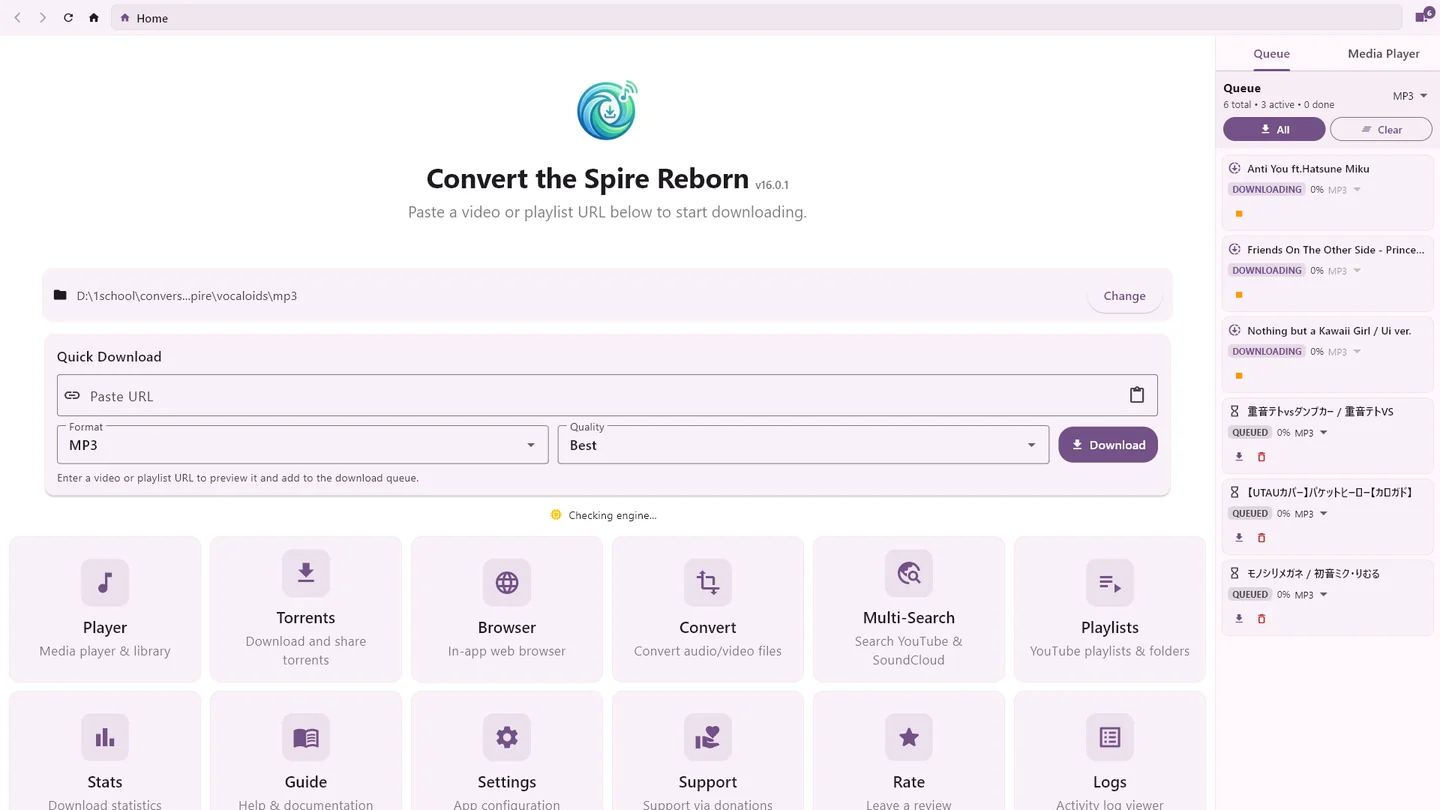
Home: paste a link or pick a tool, while the queue downloads
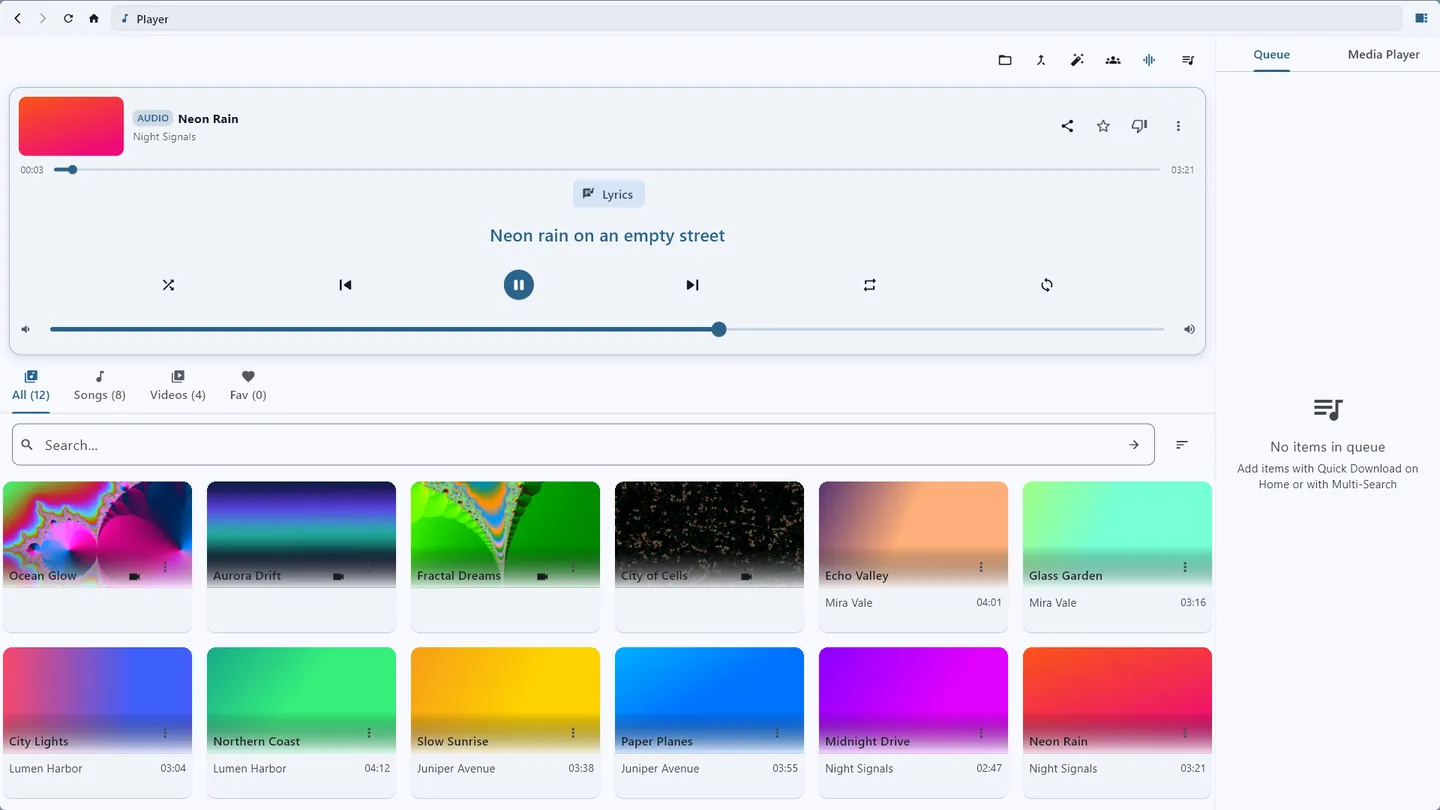
The player, with a song's synced lyrics
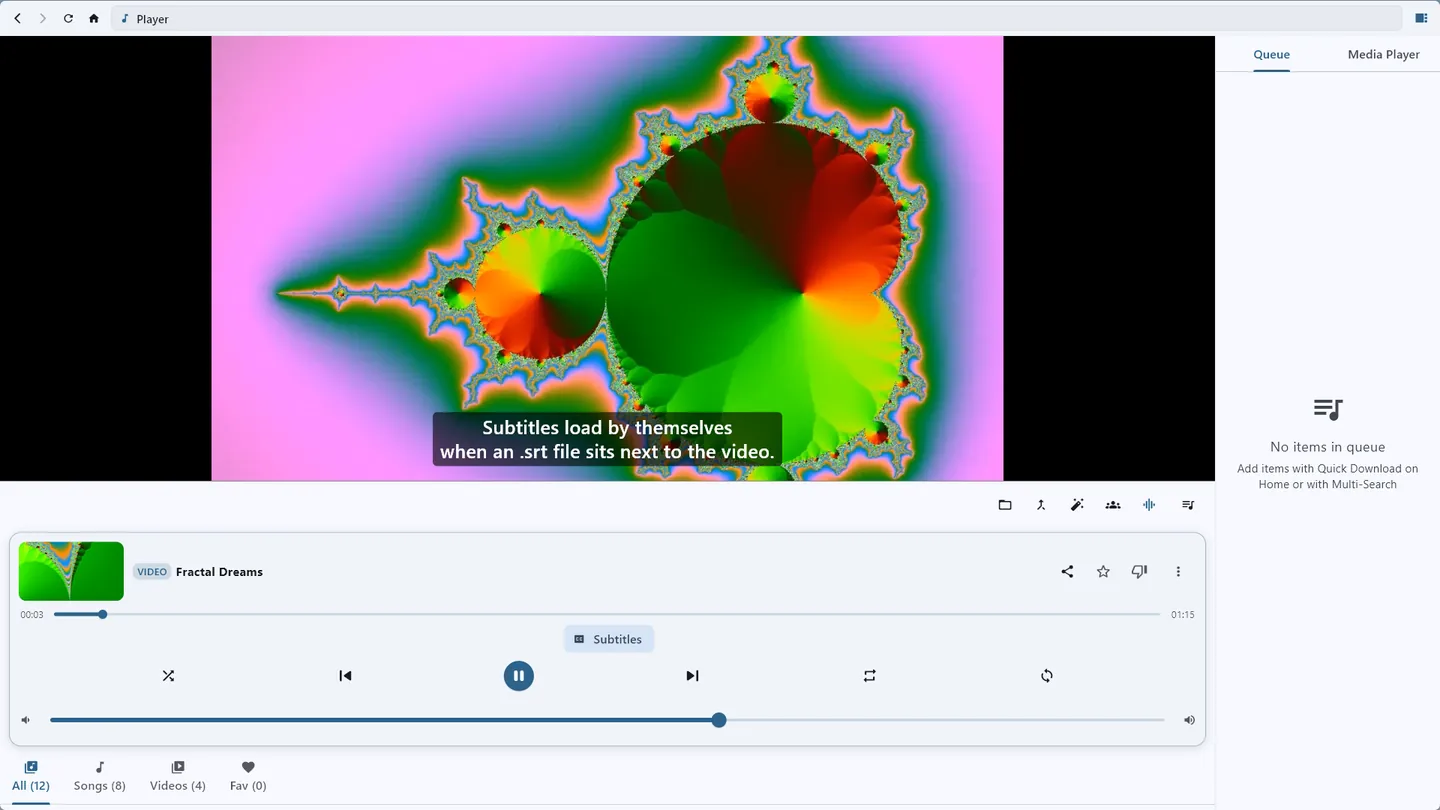
Subtitles load by themselves when an .srt file sits next to the video
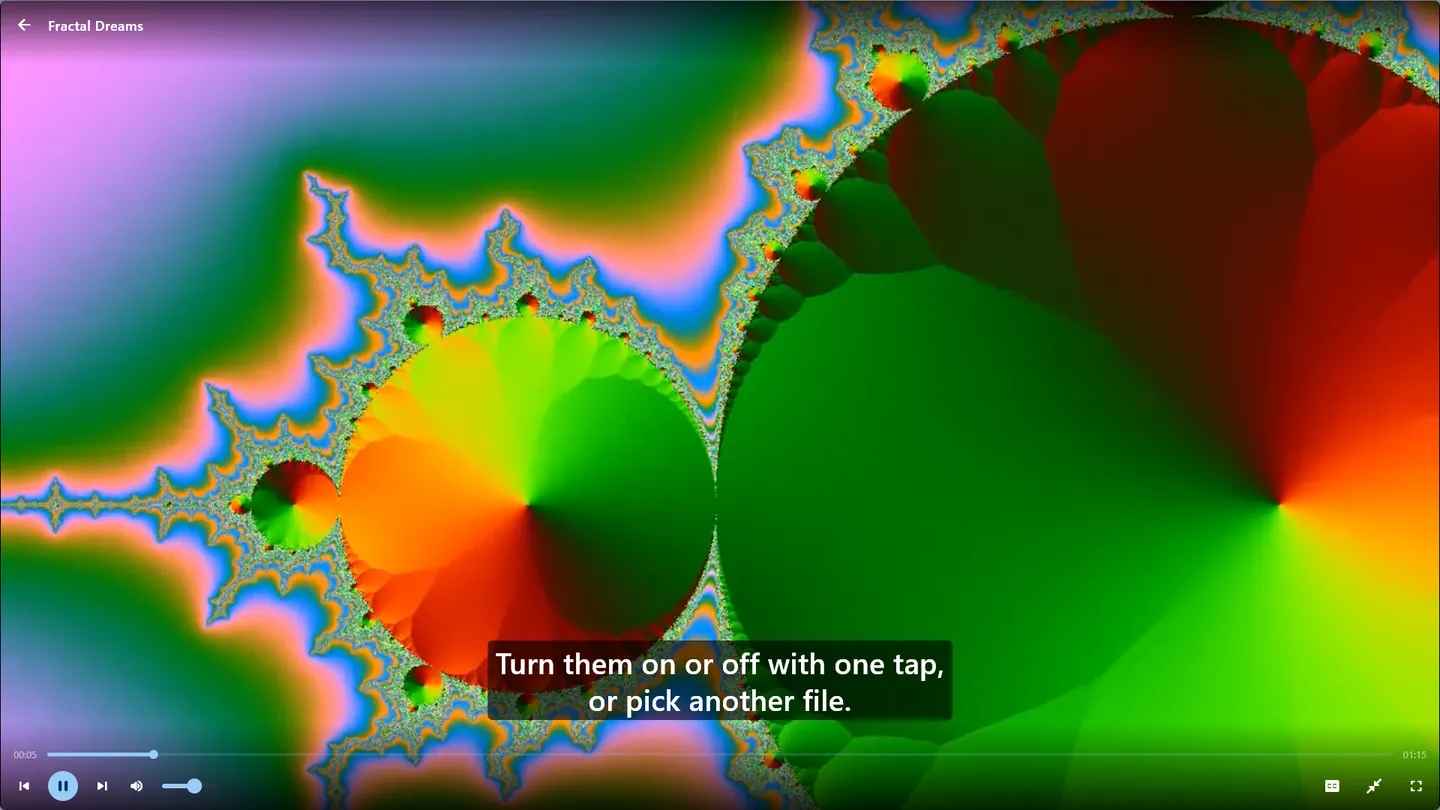
Large view: the video fills the window
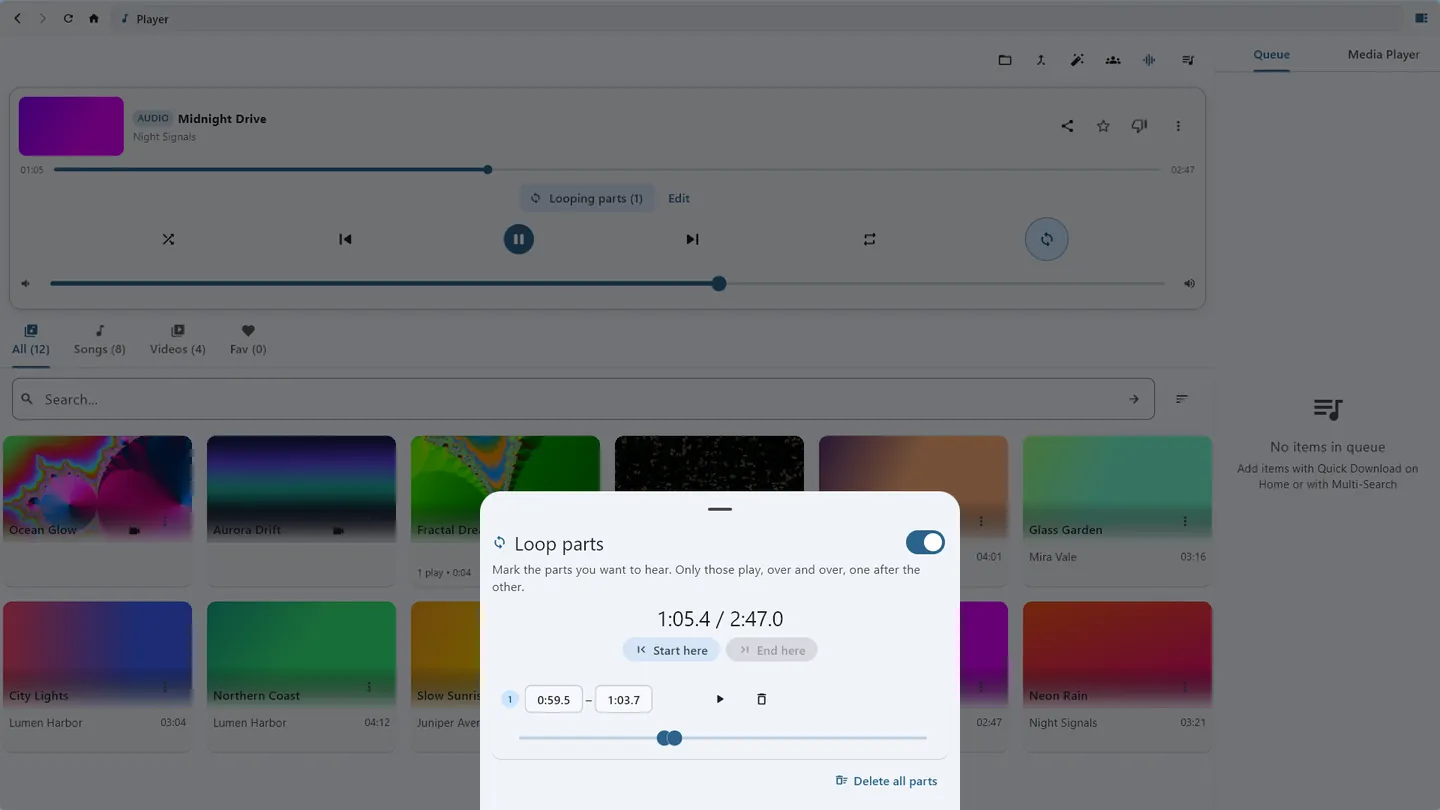
Loop parts: mark the bits you want to hear, over and over
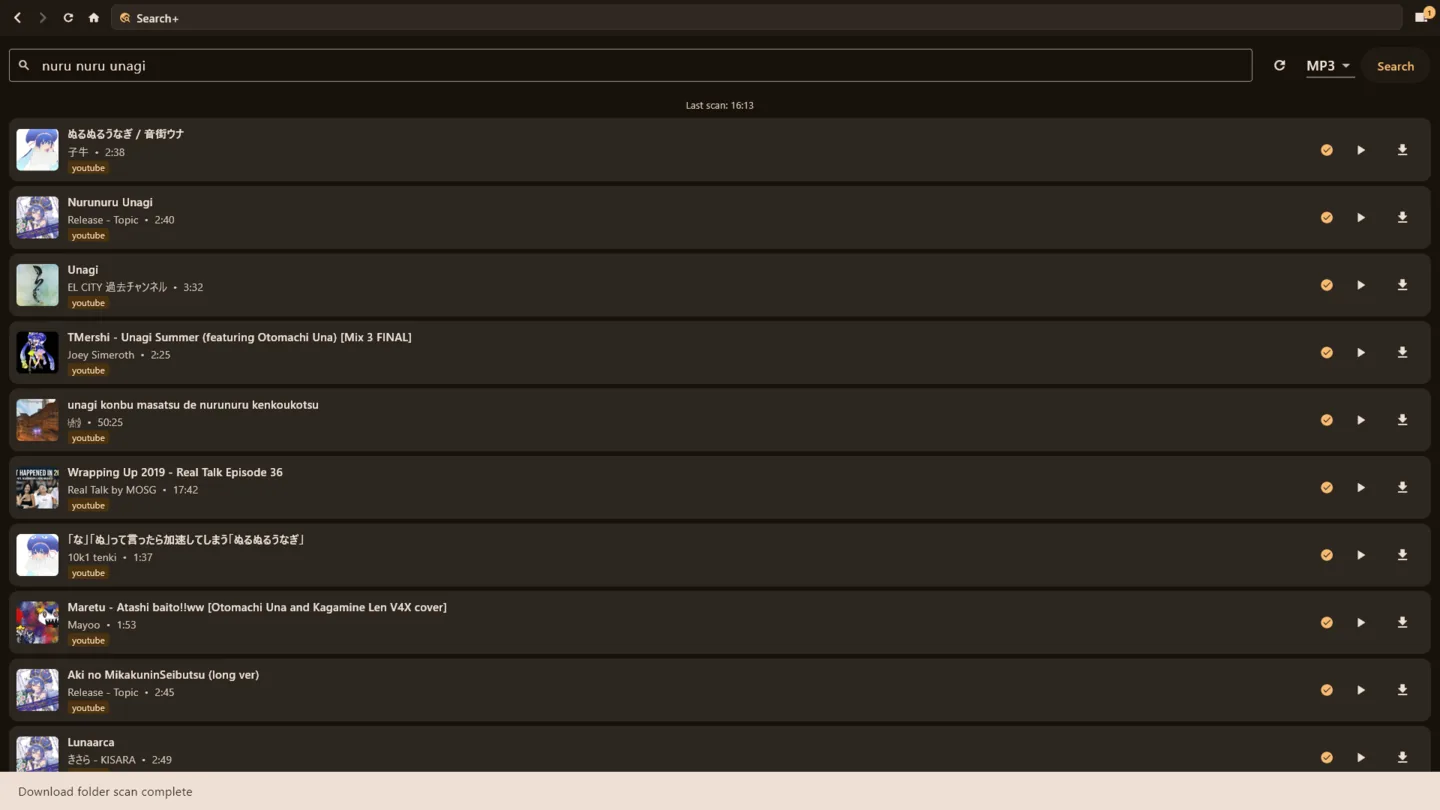
Search songs and download them
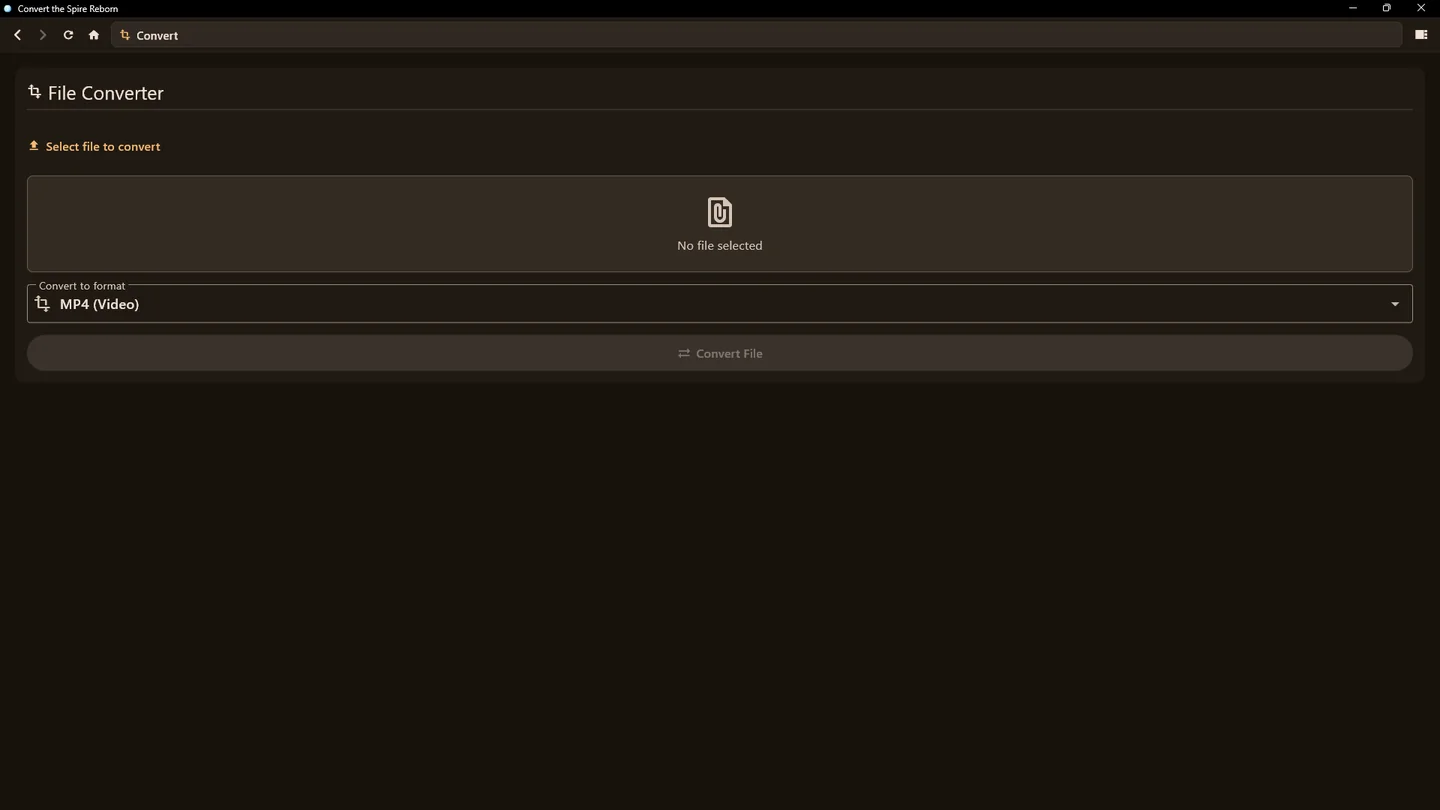
Convert files between the supported media types
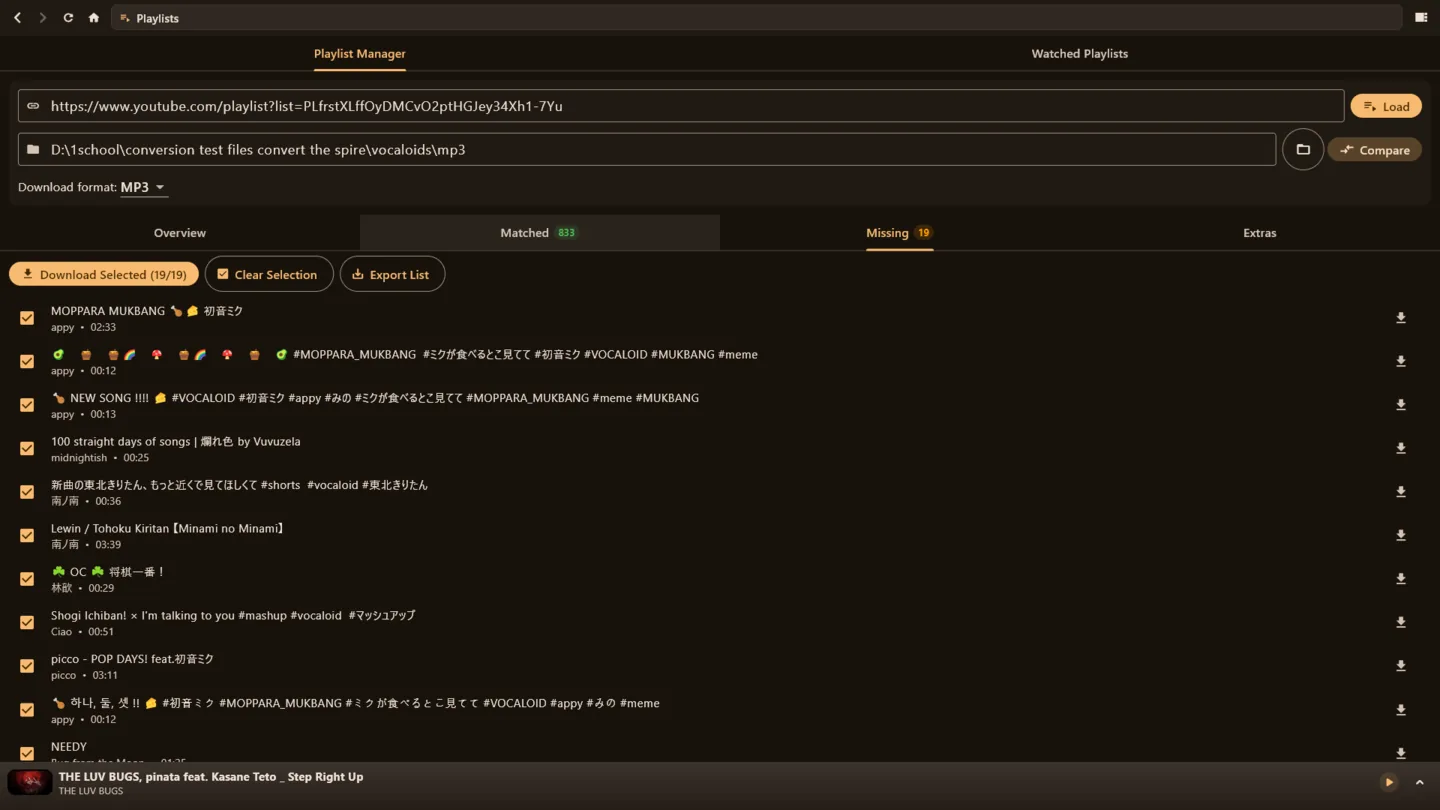
Match playlists to folders to see which songs you are missing
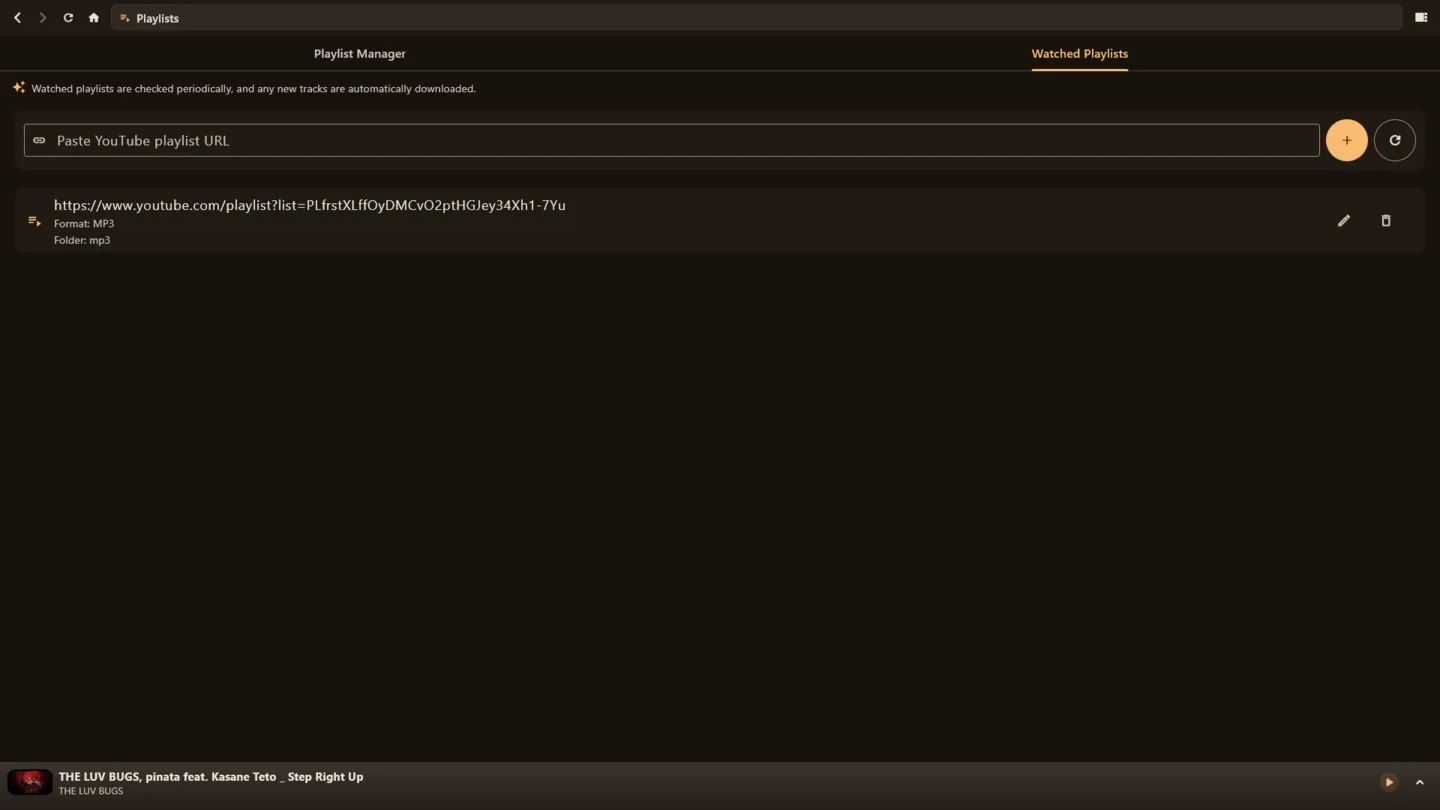
Watch playlists and auto-install new songs added to them
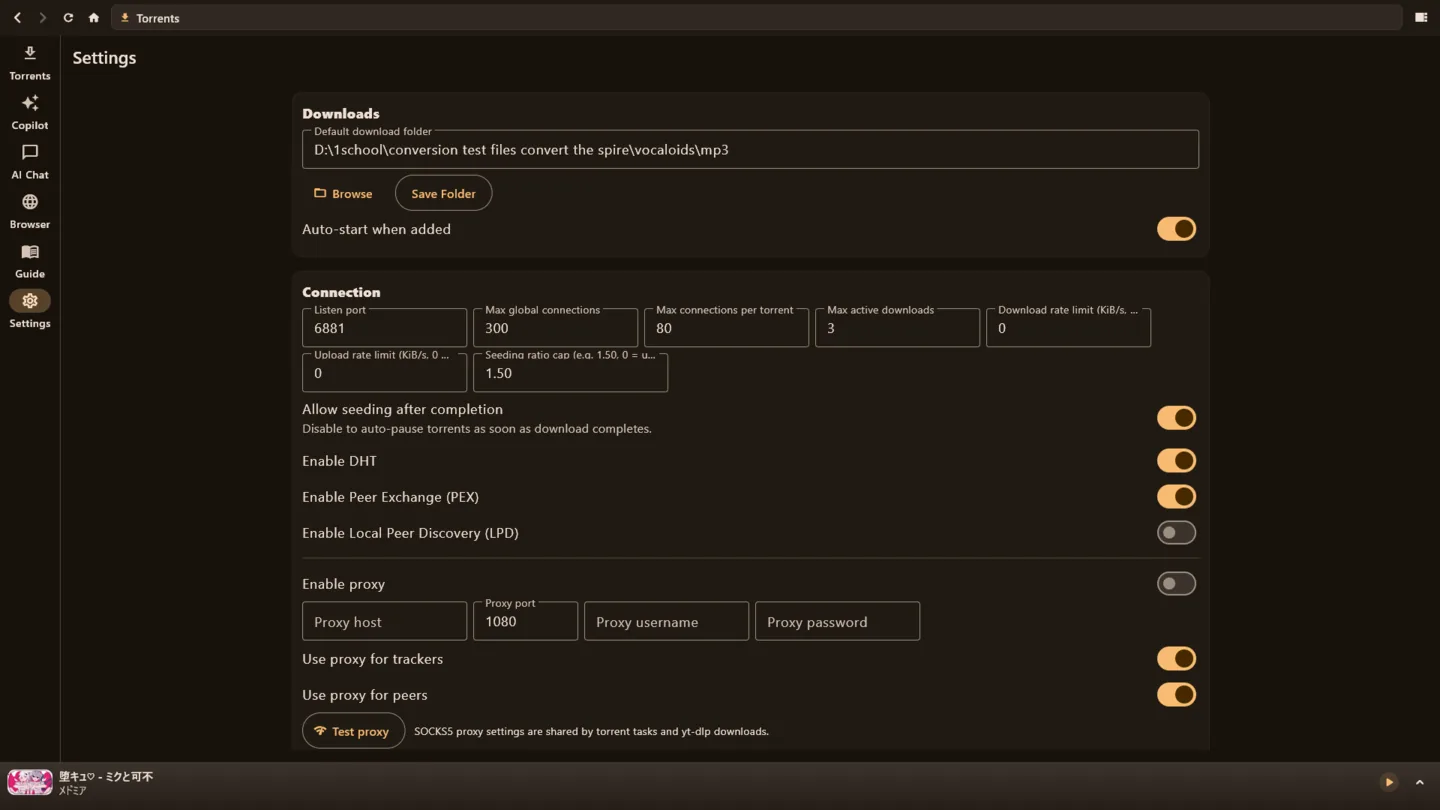
Full torrent settings: ports, connections, speed limits, DHT and a proxy
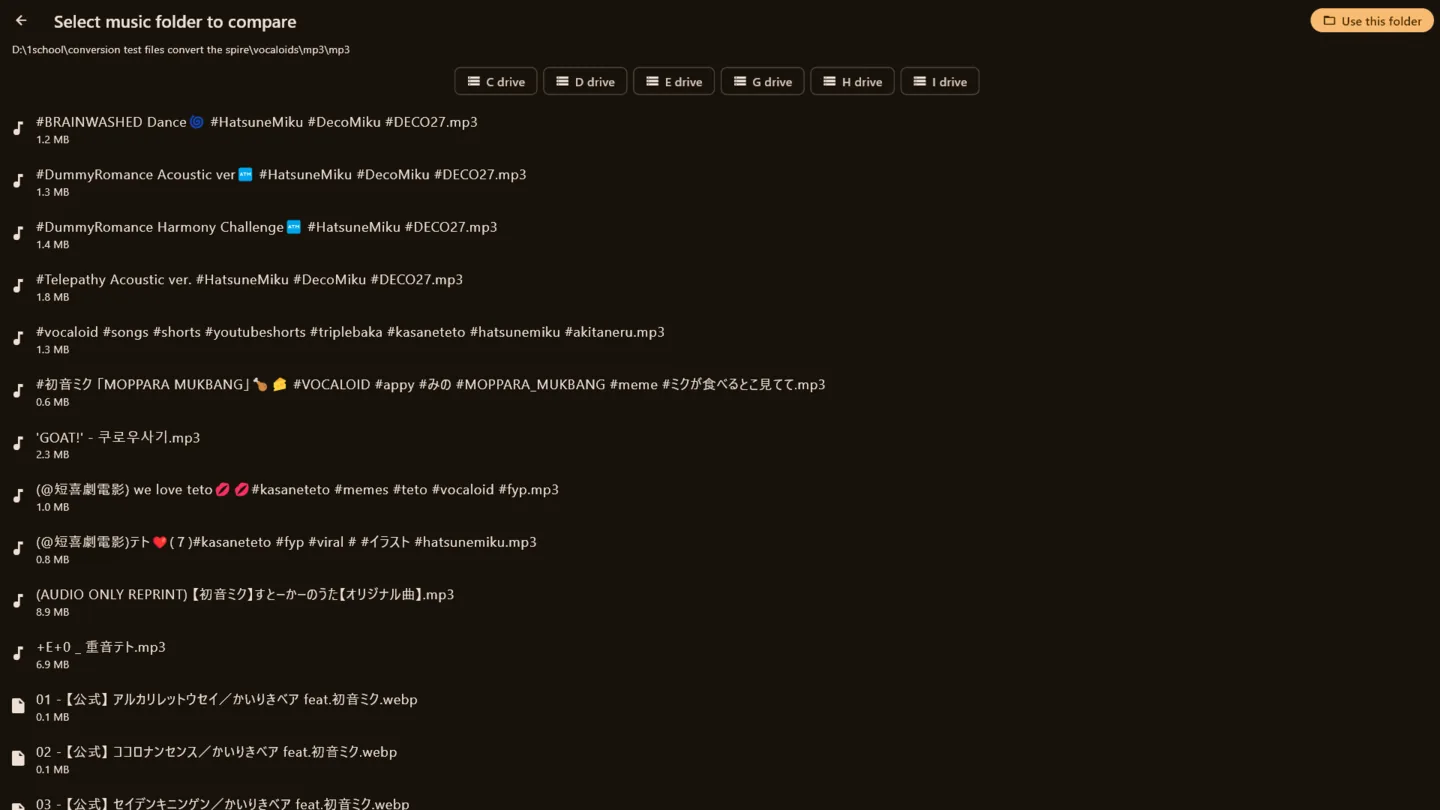
A custom file explorer, so it also works on your TV
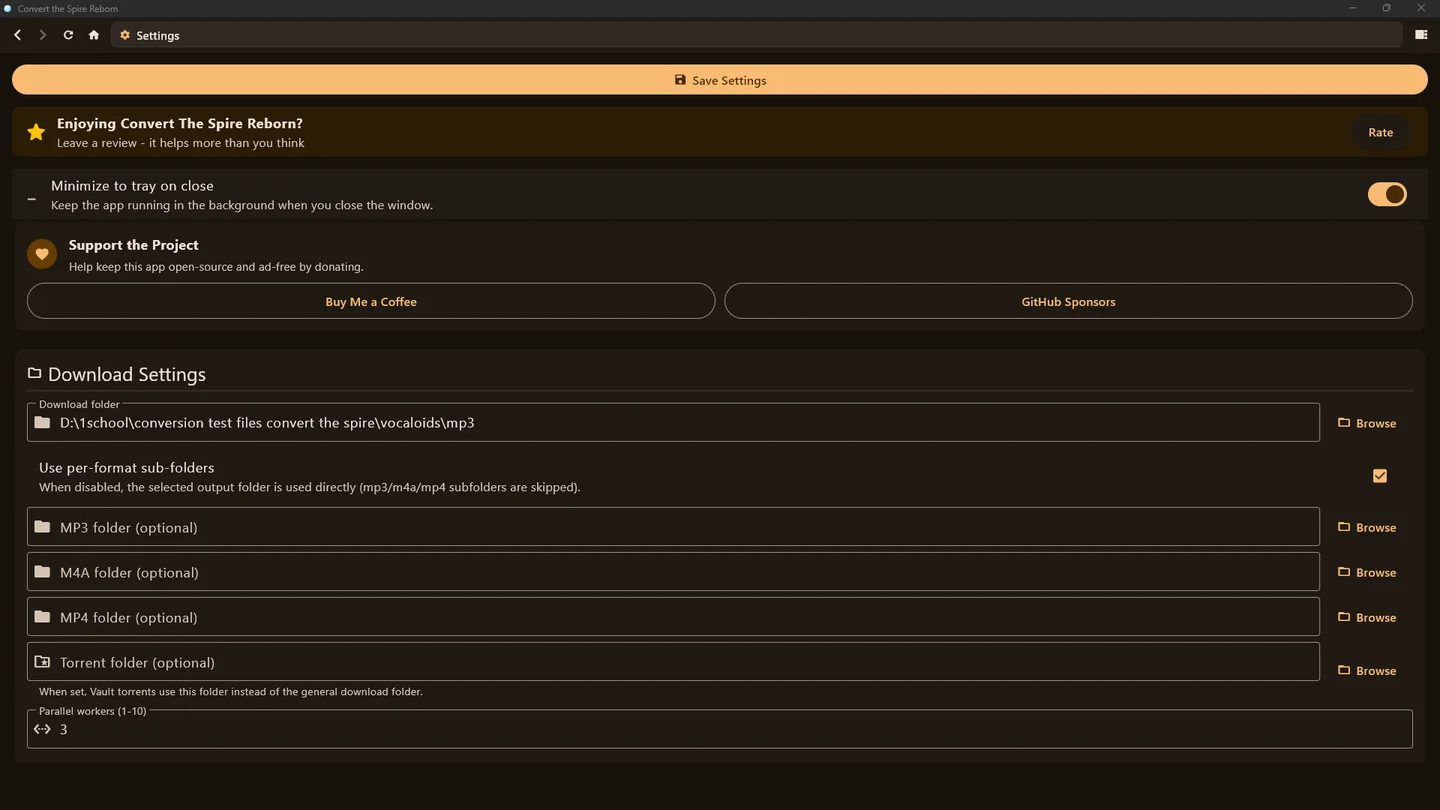
Settings that let you customize how you use the app
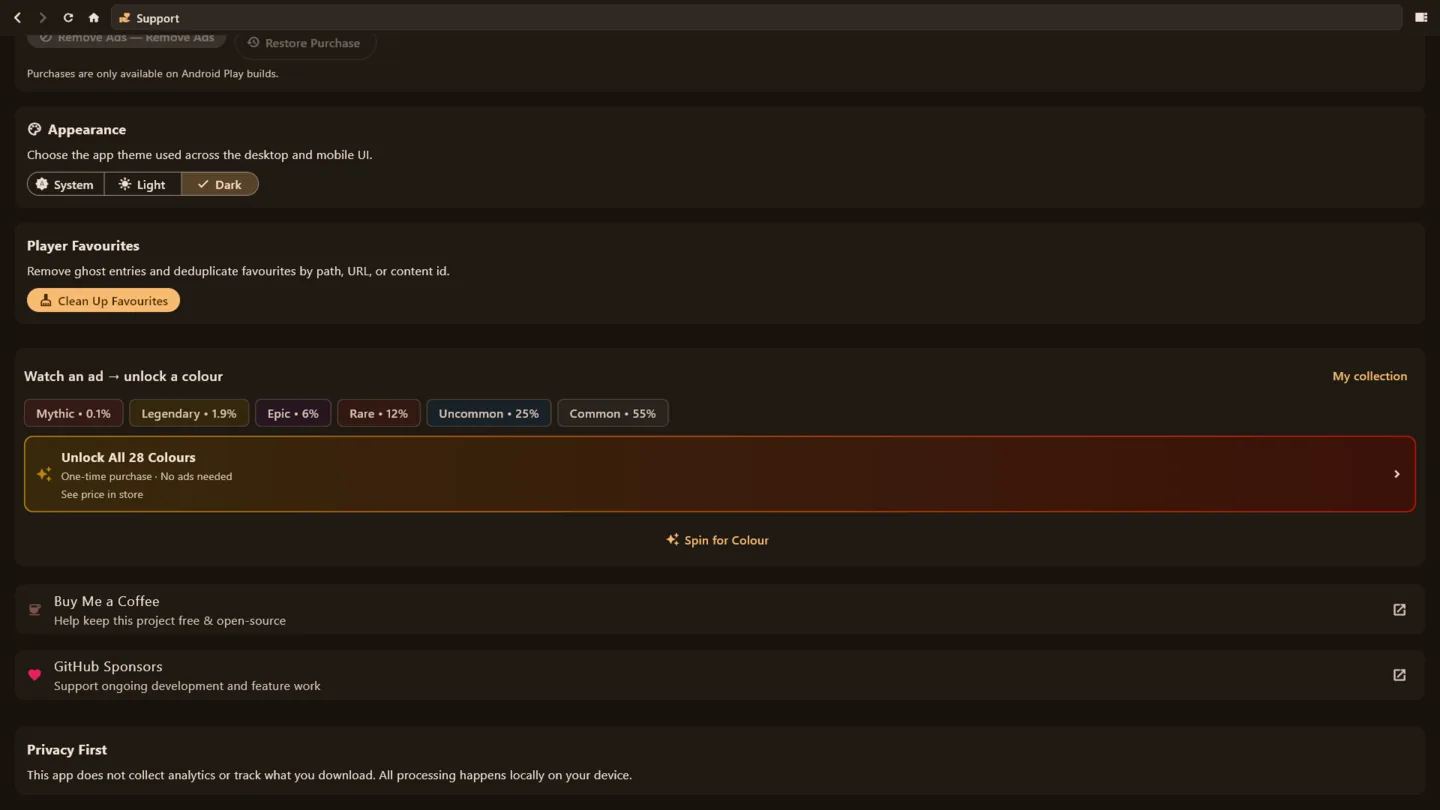
Customizable appearance in the support tab
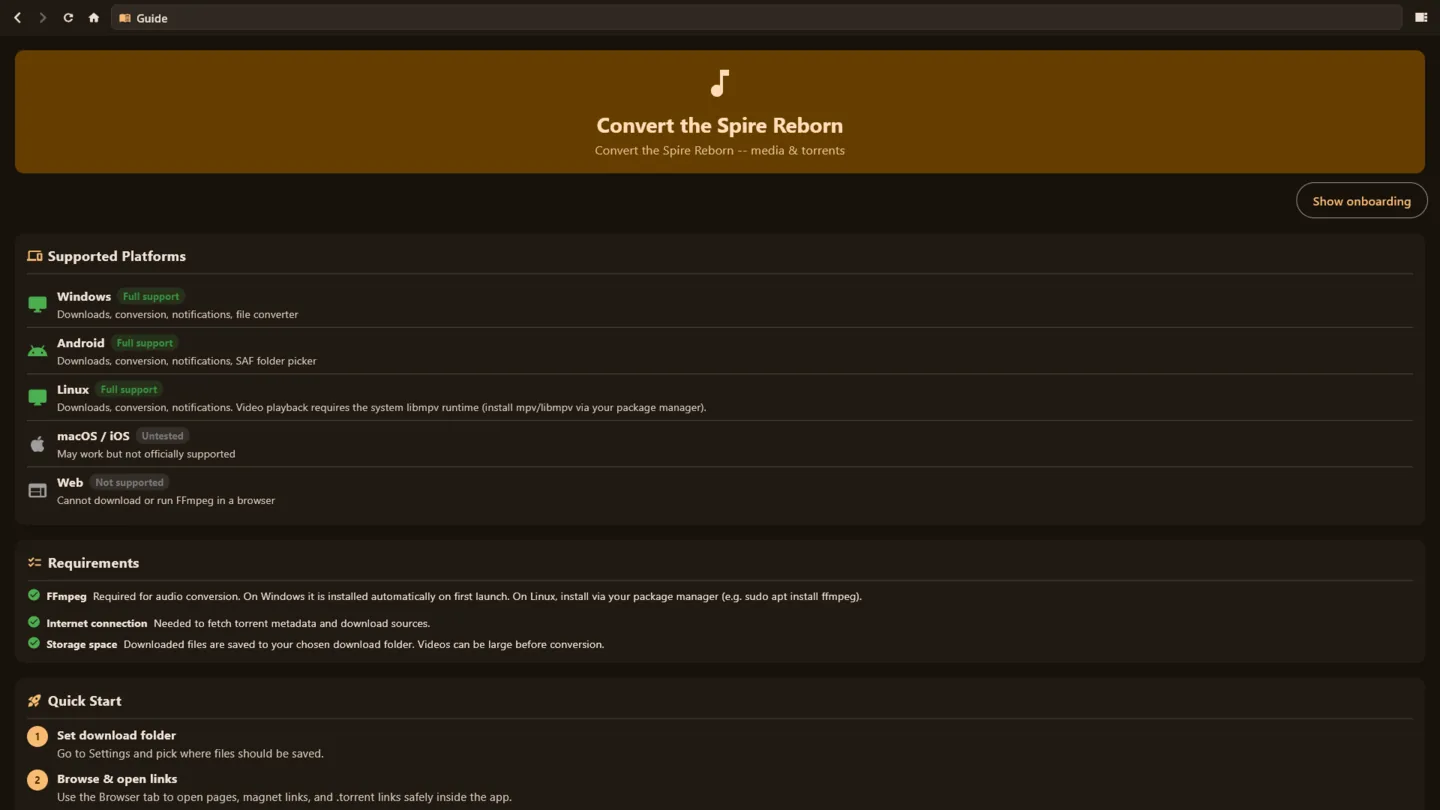
Includes a guide on how to use the app
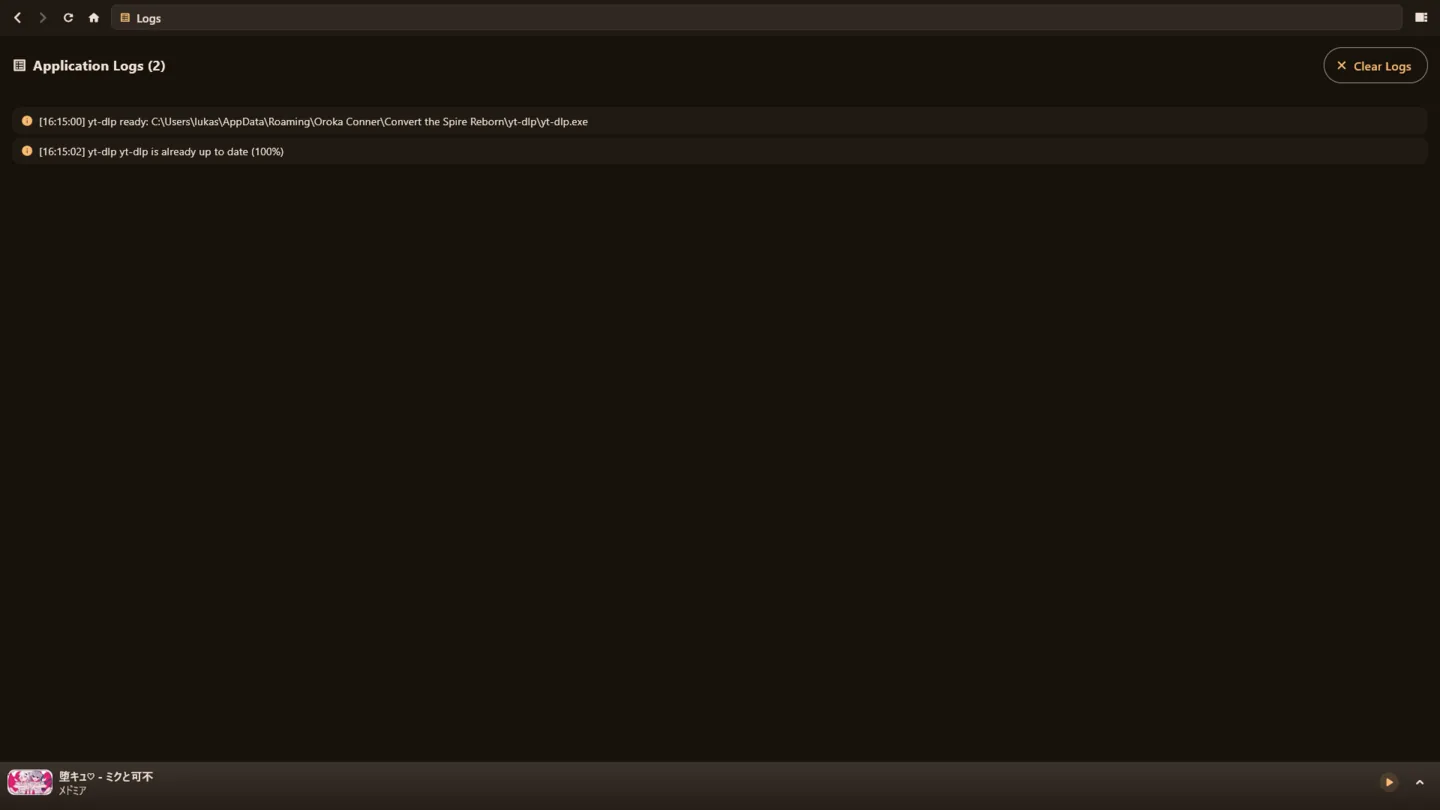
Full logs so you know what's happening
Trailer
The app in 50 seconds. Prefer YouTube itself? Watch it there. The older demo of v14 is still up, and so is a walkthrough of the v13.2.1 build.
How posting this project went in public, community by community: the community guide.